When controlling keeps up with the speed of business.
Finplai (FIN + PL + AI) was born from the merger of the Plai planning platform and the SmartBI analytics product. It covers the full annual controlling cycle: data collection, planning, forecasting, variance analysis, dashboards and conversational analytics. AI is an extension for your controller, not a dependency.
Traditional CPM tools focus on data administration. Reports are slow, anomalies arrive late, the forecast is obsolete the moment it's approved.
01
Expensive time stuck in spreadsheets
Controllers spend 30–40 hours a month mechanically consolidating data instead of analysing it.
02
Managers wait
An ad-hoc question like "why is margin falling in SK?" takes two days. By the time the manager is back, the decision is made without data.
03
Anomalies surface late
A cost spike is discovered at month-end close. The reaction comes too late, losses can't be reversed.
04
Forecast goes stale
The yearly forecast is updated quarterly, but the market moves in weeks. The plan is obsolete the moment it's signed off.
Three AI pillars
Finplai = controlling platform with AI at the core, not as an add-on.
Finplai is a platform: data model, planning, reporting, audit. AI is at the core of the product, not a paid add-on. The SmartBI module delivers the analytics layer: dashboards and conversational querying.
Pillar 01
AI Analyst & Dashboards
Managers and consultants ask in plain language, Finplai returns a data-backed answer with a visualisation. No SQL, no waiting on controlling. The key differentiator against legacy MIS.
Conversational queries over client data
The AI guide builds a dashboard from a written brief
Instant anomaly detection
Every query and answer auditable
Pillar 02
Planning Co-pilot
AI suggests plan adjustments, calculates what-if impacts, flags inconsistencies. Full control stays with the controller: AI always proposes, the user approves.
Top-down, bottom-up, driver-based
What-if impacts live
Rolling forecast with AI suggestions
Sales / capacity mismatch detection
Pillar 03
AI Automator
Runs in the background: watches data, surfaces anomalies, drafts executive summaries before you ask.
Variance detection 15 % warning / 30 % critical
Notifications to accountable owners
Monthly forecast draft
Executive summaries for meetings and the board
Why Finplai is different
Not another dashboard. Actual AI controlling.
Legacy MIS, BI tools and spreadsheets solve a different problem. Finplai targets the controller and CFO directly: the people who need to answer business questions fast.
Legacy MIS / BI / Excel
A dashboard somebody has to maintain.
×
Reporting without planning: handled separately in Excel
×
AI is a paid add-on (cloud only)
×
6–12 month implementation, expensive licensing
×
The consultant needs a developer and SQL
×
Audit and plan versioning are missing or manual
Finplai
A controlling platform with AI at the core.
✓
Data model, planning, dashboards and audit in one place
✓
AI is at the core of the product: no paid add-on
✓
Plan versioning and AI interaction audit log out of the box
In practice
A BI dashboard you can ask questions in plain language.
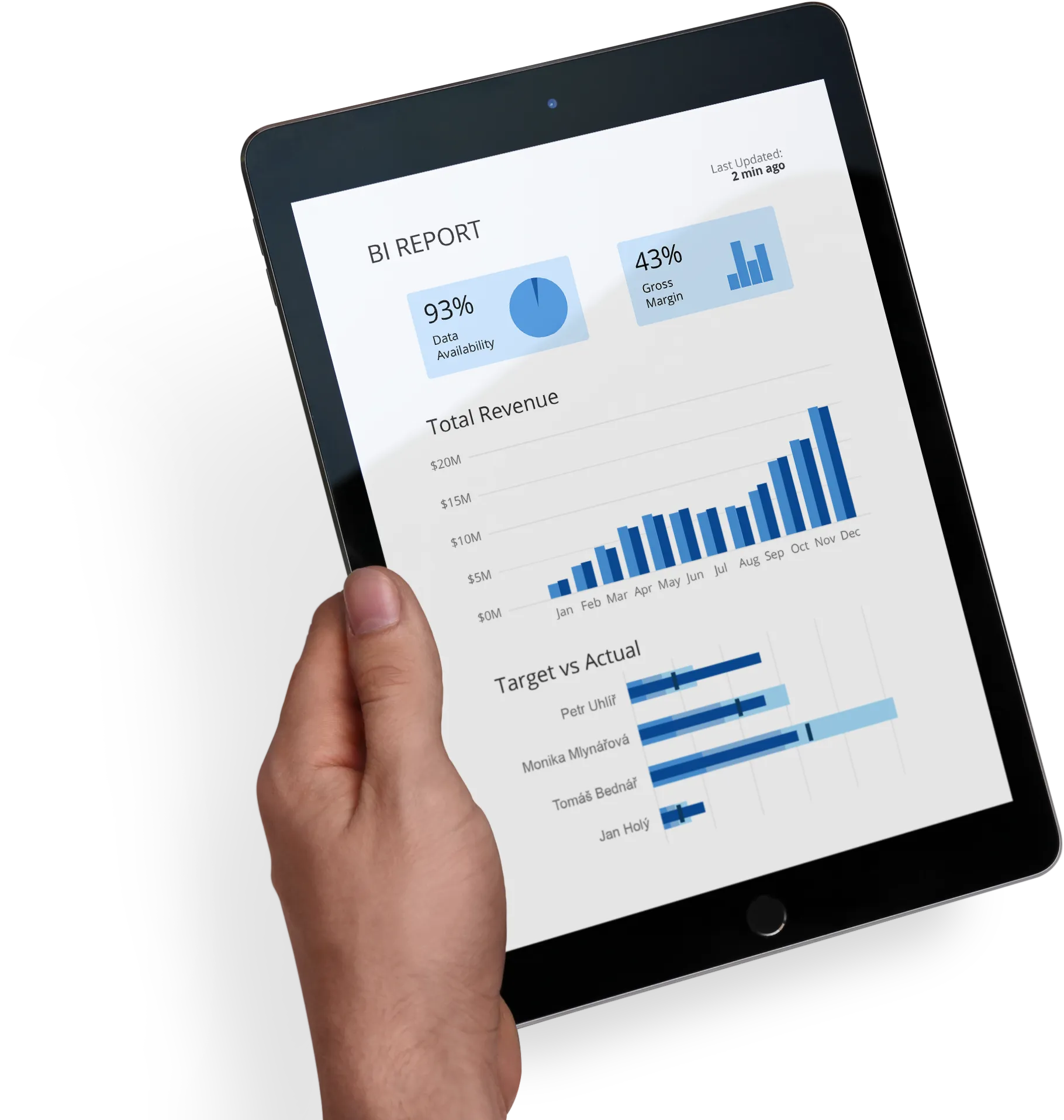
Managers see the numbers they care about, refreshed every few minutes. For the detail they ask the AI chat in natural language. No Excel export, no waiting on controlling.
Dashboards & AI guide
Reporting you ask for in words.
AI guide
01
A dashboard born from a sentence
Describe what you want to see: the AI guide assembles the dashboard for you
Edit tiles with a chat instruction, no editor clicking
The AI assistant remembers your conversation history
Results as a chart, table or KPI card
Dashboards
02
One view for leadership and the team
Tiles with charts, tables and KPIs on a shared canvas
Filters in the top bar or on the canvas: each lives in exactly one place
Plan version comparison directly in the statements, with differences and percentages
P&L with manual fixed-cost planning and exact spreading of the yearly target
What-If analysis
03
Simulation by slider
Parametric factors grouped by module: volume, prices, costs, budgets
Change in percent or currency, impact on the operating result immediately
Impact breakdown per individual factor
Save a simulated state as a full plan scenario
Planning methods
Every method you're used to. Out of the box.
Finplai ships standard planning approaches ready to use. No month of model tuning, no formula writing. The controller just picks what they need.
01
Top-down planning
Leadership sets the overall targets, AI breaks them down by division, customer and period. Full audit of the allocation.
02
Bottom-up planning
Unit managers plan their numbers, Finplai aggregates them and checks consistency against the top-down brief.
03
Driver-based planning
A plan driven by business drivers (volume × price, capacity × utilisation). AI watches relationships and proposes adjustments.
04
Rolling forecast
The forecast refreshes continuously, not just quarterly. A new version can combine sources: actuals through June plus the plan for the rest of the year.
05
Scenarios & what-if
Multiple plan versions in parallel (base, bull, bear). What-if impacts on EBIT calculated live; save a simulation as a scenario.
06
Plan versioning
Every plan version is auditable. You see who changed what, when and why. Including AI-proposed edits.
No developer needed
Your controller configures the whole model themselves. No SQL, no waiting.
Finplai is built so that a senior controller or consultant can deploy and operate it: no developer, no data engineer, no vendor lock-in. The data model, dimensions, planning rules and the AI tool API are configured through the UI.
01
Data model through the UI
Define dimensions, measures and relationships in the app. No SQL or XML configuration.
02
AI tool API without code
Define what the AI can ask about and what it can return. The AI has no direct database access. It goes through validated typed calls.
03
Roles configured in the UI
Who sees what data, who approves the plan, who can access which module. No server-side admin console.
04
Vendor independence
Once configured, you don't need Softim for changes. Your consultant adjusts Finplai for the new quarter themselves.
Use case
Monday leadership meeting | 9 a.m.
From two days of report preparation to a five-minute dialogue. 25× faster.
Before
Before: Friday–Sunday report preparation, controller as a data courier. Decisions rest on two-day-old data.
With Finplai
With Finplai: anomalies already identified, AI answers in plain language, forecast refreshes in seconds.
9:00
Finplai opens the Executive Summary Q3: drafted by the AI over the weekend.
9:02
"Why is margin falling in SK?" AI returns an answer and a top-3 root-cause chart.
9:04
Anomaly −24 % at the butter supplier. Suggested action: renegotiate the contract.
9:07
"What if we raise sandwich prices by 4 %?" What-if impact on EBIT, live.
Reference case for a mid-sized company with three controllers: 32 hours saved per month × 12 months × CZK 800 hourly rate = CZK 921,600 worth of freed capacity per year. Without hiring an extra team member.
−80 %
time on reports
32 hrs
saved / controller / month
~70 %
faster variance detection
< 6 mo.
payback period
AI that even the head of IT can sign off.
Finplai is designed so your data stays under your control and the AI does nothing it shouldn't.
01
Finplai runs without AI too
AI is an extension, not a dependency. You can disable it at any time and the system keeps working. Every AI feature has a manual alternative.
02
The AI doesn't write
The AI only reads and suggests. Data changes are always made by the user after confirmation. No "AI surprises", no runaway agent.
03
Full audit log
Every query, every answer, every call logged with a trace ID. Compliance and GDPR-ready, fully traceable after the fact.
04
Data under your control
Finplai runs in the cloud or fully on-prem. The AI provider follows your rules: Azure OpenAI, or a local model inside your perimeter with no outbound calls.
05
Validated tool API
The AI has no direct database access. It works through typed, validated calls: no SQL injection, no unbounded queries.
06
Role-based access
The AI respects user roles: a controller sees different answers than a sales rep. Isolation enforced at the API layer.
Tech stack
Cloud-native architecture with on-prem deployment support.
Frontend
SvelteKit (Svelte 5) · Node 22
Backend
.NET 10 · ASP.NET · MediatR · SignalR for AI streaming
Legacy CPM (SAP BPC, Anaplan) clients wait half a year for the first number. Finplai runs in parallel, doesn't touch your systems, fixed scope, fixed price. First pilot in 2–3 weeks, full production rollout in 6 weeks.
Week 1
→
01
Infrastructure prep
One server / VM with Linux and Docker: 2 vCPU / 8 GB RAM / 50 GB SSD, up to 20 concurrent users.
Week 2
→
02
Installation and onboarding
Docker Compose deployment, access configuration, sample data import, onboarding from the NK document.
Week 3
→
03
Pilot & UAT
Live demo of every AI feature, acceptance testing, user training. Decision to proceed to full rollout.
Week 4–6
04
Full rollout
Remaining modules added, more roles, more planning methods. Handover to the client's controller. From now on they adjust Finplai themselves.
Let's spend 30 minutes on your numbers.
A Finplai showcase on your own data, no strings attached. We'll calculate the savings on your capacity and walk through your use case.